

 Call us Today


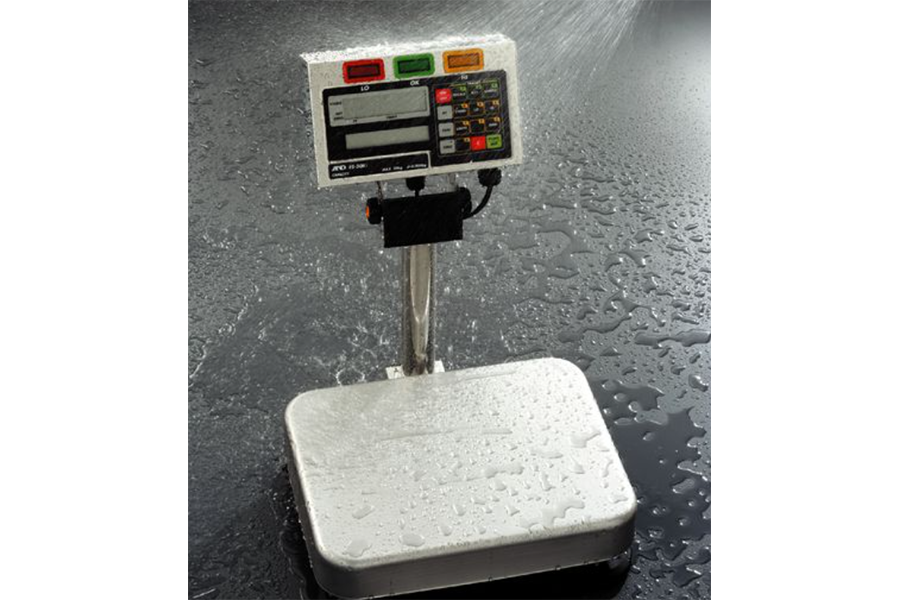
Digital scales are an indispensable part of modern life. Whether you use them for food portioning, health monitoring, or commerce, it’s become increasingly easy to rely on the convenience that they bring; with their modern and advanced functions, they swiftly give us accurate measurements with just the press of a button. Which is why it’s such a dreaded inconvenience when they stop working.
So - what do you do when your scales have stopped working? Well, before you spend money on a new set, it’s wise to consider scale repairs. Scale repair services are part of the Able Scales package; we operate a fully equipped workshop that offers mobile technician services for repairing a wide range of weighing equipment and cash registers, including industrial scales. Our skilled technicians are highly trained and bring extensive experience from the weighing and cash register industries. You can read more about our scale repair services here, or scroll down to learn more about the important signs of faulty scales.
Common Service Issues & Quick Solutions
If you suspect your scales are starting to break down, try identifying the problem on the table below to see if you can quickly fix the issue yourself before taking it in for service.
| ISSUE | POSSIBLE CAUSE | QUICK FIX |
| Inaccurate Readings |
- Scale not calibrated properly. - Scale placed on an uneven surface. - Inconsistent power. |
- Use the calibration weight provided. - Place the scale on a flat, stable surface. - Replace batteries or adapters. |
| Scale Won’t Turn On |
- Batteries are dead or improperly installed. - Power supply is faulty or incorrect - Loose wires or electrical issues. |
- Replace or reinstall batteries. - Replace power adaptor. - Consult your provider for electrical repairs |
| Blank Display |
- Low or dead batteries. - The system needs a reset. |
- Replace batteries. - Unplug and reconnect the scale to reset. |
| Error Messages Displayed |
- Batteries are low or faulty. - System error. - Check the user manual for an error message. |
- Replace batteries. - Reset the scale by turning it off and on again. - Consult your provider for repairs. |
| Unresponsive Buttons |
- Moisture in components - Dirt on button contacts. |
- Dry out in the sun and retest. - Clean button contacts with a soft cloth. |
| Batteries Drain Too Quickly |
- Corrosion or damage in the battery compartment. - Faulty batteries. |
- Clean battery terminals with rubbing alcohol. -Replace leaking batteries. |
| Overloaded Weight | - Exceeding the scale’s weight limit. |
- Remove the excess load. - Switch off and restart the scale. - Check the weight limit in the user manual. |
| Inconsistent Readings |
- Dirty sensors. - Damaged cabling. - Scale needs recalibration. |
- Clean sensors with a soft-bristled brush. - Check the cabling for damage. - Calibrate the scale using the calibration function. |
Don’t forget that a routine maintenance — like cleaning the sensors and inspecting the batteries — can extend your scale's lifespan and maintain its accuracy. If the problem persists after trying these solutions, refer to the user manual or reach out to your provider for expert assistance.
Potential Reasons for Malfunctions
- Environmental Factors: The performance of digital scales can be significantly influenced by their surroundings. Dust build up can obstruct sensors, leading to faulty readings, while excessive moisture can damage internal components. Extreme temperatures, whether high or low, may also affect the scale’s accuracy and functionality. To prevent these issues, always store and use your scale in a clean, dry, and stable-temperature environment.
- Wear & Tear: Frequent use of digital scales naturally causes wear and tear on their components. Internal parts, such as sensors, buttons, and wiring, may degrade or loosen over time, reducing the scale’s reliability. These issues can compromise performance and potentially shorten the device’s lifespan. Routine inspections and timely replacements of worn components can help keep your scale in optimal condition.
- Improper Use: Misuse is a frequent source of scale malfunctions. Overloading the scale with weights beyond its capacity can strain or damage the sensors, while placing the scale on uneven or unstable surfaces often results in inaccurate readings. Ignoring basic maintenance, like cleaning or battery replacement, can also contribute to operational issues. Using the scale as directed and adhering to maintenance guidelines are key to avoiding problems.
- Lack of Calibration: All digital scales require regular calibration to maintain their precision. Over time, the internal measurements can drift, leading to inconsistent or inaccurate readings. Failing to recalibrate as needed can affect both personal and professional tasks that demand precision. Following the manufacturer’s calibration instructions ensures consistent accuracy and reliable results.
When to Seek Professional Help
There are some malfunctions that are a little tricker to fix by yourself. If you come across any of the following troubles, it may be time to consult a professional scales technician.
- Persistent Errors: If your scale continues to provide inaccurate readings even after verifying the power supply, recalibrating, cleaning the sensors, and ensuring it’s on a stable surface, it’s likely a deeper issue. Consulting a professional can help identify and resolve the problem quickly and effectively.
- Device is Unresponsive: When a scale remains unresponsive despite replacing batteries or verifying a functioning power source, it often signals an underlying electrical or software issue. Attempting to fix such problems without expertise may cause further damage, so professional assistance is recommended.
- Software Glitches: Smart scales may encounter issues like erratic display behaviour, connectivity failures, or unresponsive functions. If these glitches persist after performing multiple resets or software updates, a professional technician with experience in digital scale systems can provide targeted solutions.
- Malfunctioning Displays: Dim, flickering, or blank screens can indicate issues with the display module, power supply, or internal circuitry. If basic troubleshooting, such as replacing batteries or resetting the device, doesn’t resolve the issue, a professional can diagnose and repair the underlying problem to restore full functionality.
- Physical Damage: Visible damage, such as cracks, loose components, or evidence of water exposure, can severely impact a scale's performance. These issues require expert evaluation to determine whether repair is feasible or if a replacement is a more cost-effective solution. Prompt attention to physical damage can prevent further deterioration.
Conclusion
If your scales are on the fritz, Able Scale can ensure that your scales remain accurate, reliable, and compliant, thus minimizing downtime and extending their lifespan for consistent performance in critical applications. You can read more about Able Scale’s repair services here, or head over to our product page to browse Able Scale’s wide selection of products and services.
Got a question? You can get in touch with us via our contact page, or email us on info@ablescale.com.au. If you’d like to speak to one of our friendly team members directly, you can call us today 1300 731 360.
Have questions about our products and services?
We are here to help. Please fill in our online enquiry form below, and we will respond to you within the next business day.